911 dispatch decision simulator
Listen to a fictional call, find the address on an interactive town map, classify urgency, check unit availability, and send the resources required by the visible response guide.
Work the dispatch boardFree, independent preparation
Practice realistic call-taking, map-based dispatch decisions, and rapid-fire questions. Train for five minutes when you can, or open a longer timed exam when you want a full study session.
Choose your training mode
Start with the skill you want to strengthen today. Every call, address, map, and question is fictional and created for practice.
Created by dispatcher applicant Jake McAnally using public resources and original fictional exercises. See how our practice is made and scored.
Listen to a fictional call, find the address on an interactive town map, classify urgency, check unit availability, and send the resources required by the visible response guide.
Work the dispatch boardHear a caller and dispatcher in two voices, take live notes, and receive forgiving fact-by-fact scoring for names, addresses, incidents, vehicles, and hazards.
Practice a callAnswer one random question at a time with instant feedback and no timer. Stop whenever you need to—your progress through all 200 questions stays in this browser.
Start untimed Quick PracticeOpen a three-step walkthrough with screenshots from our free tools.
Watch a 36-second video tour and explore shareable practice resources.
A short walkthrough of the actual tool. All sample calls, map locations, and response rules are fictional.
Play the caller–dispatcher conversation and write down the location and hazards. Match the address to the fictional town map.
Check the visible requirements, choose urgency and service, then assign available units. The exercise supplies its own rules, including when a supervisor is needed.
Compare the five scoring categories and recommended units. Use the explanation to choose one thing to improve on the next call.
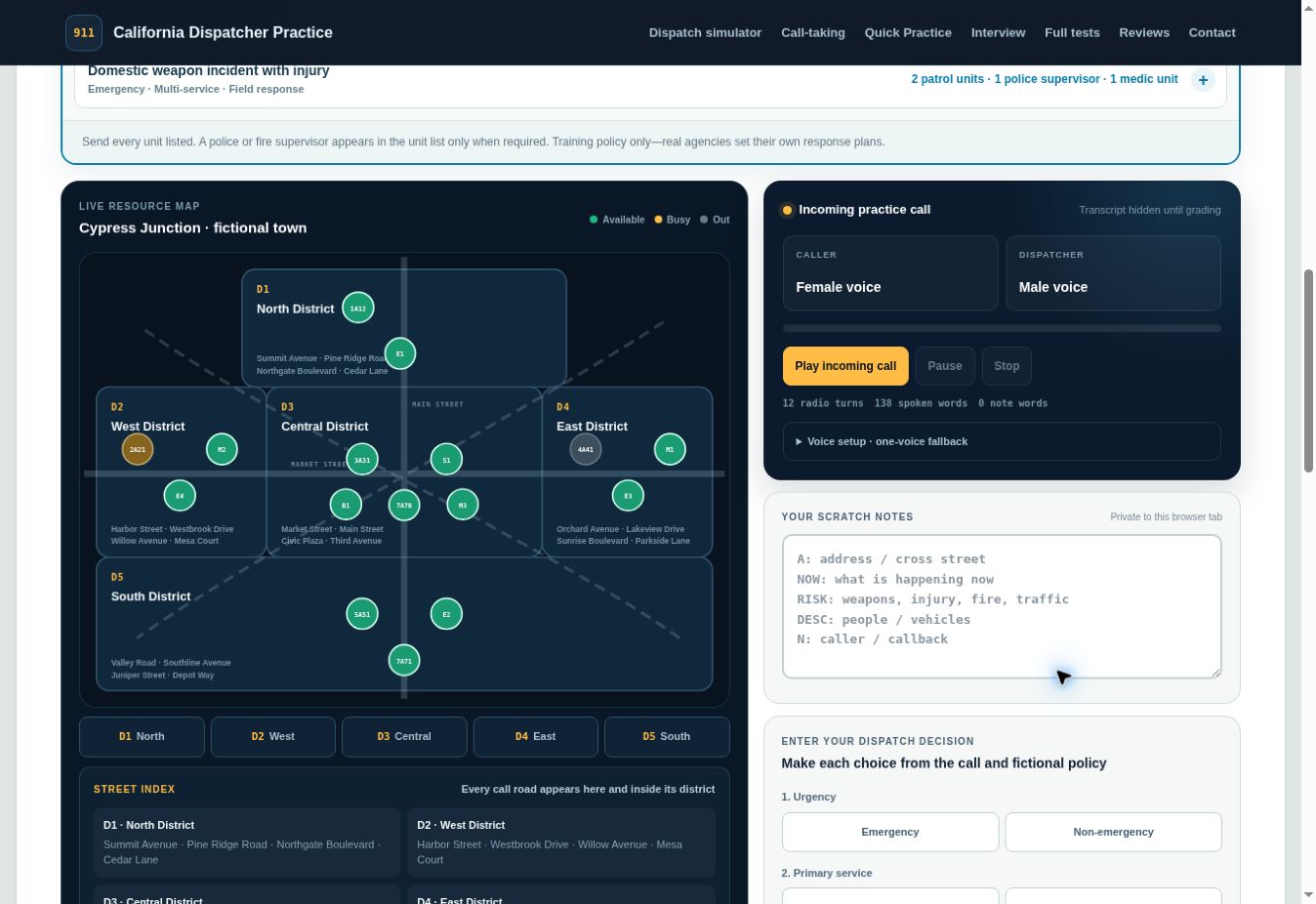
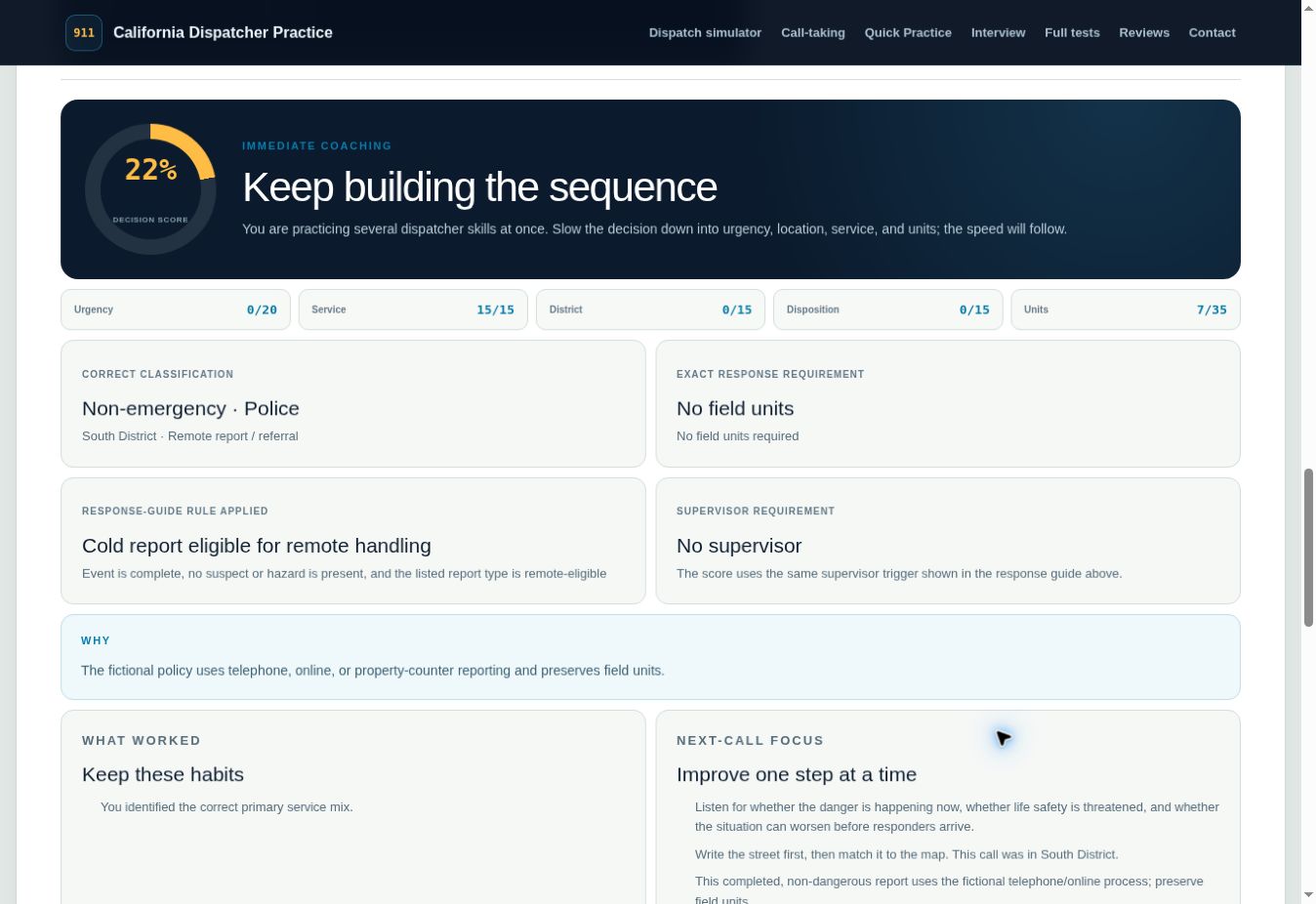
Follow one fictional conversation from note-taking to feedback. Available caller and dispatcher voices depend on your browser and device.
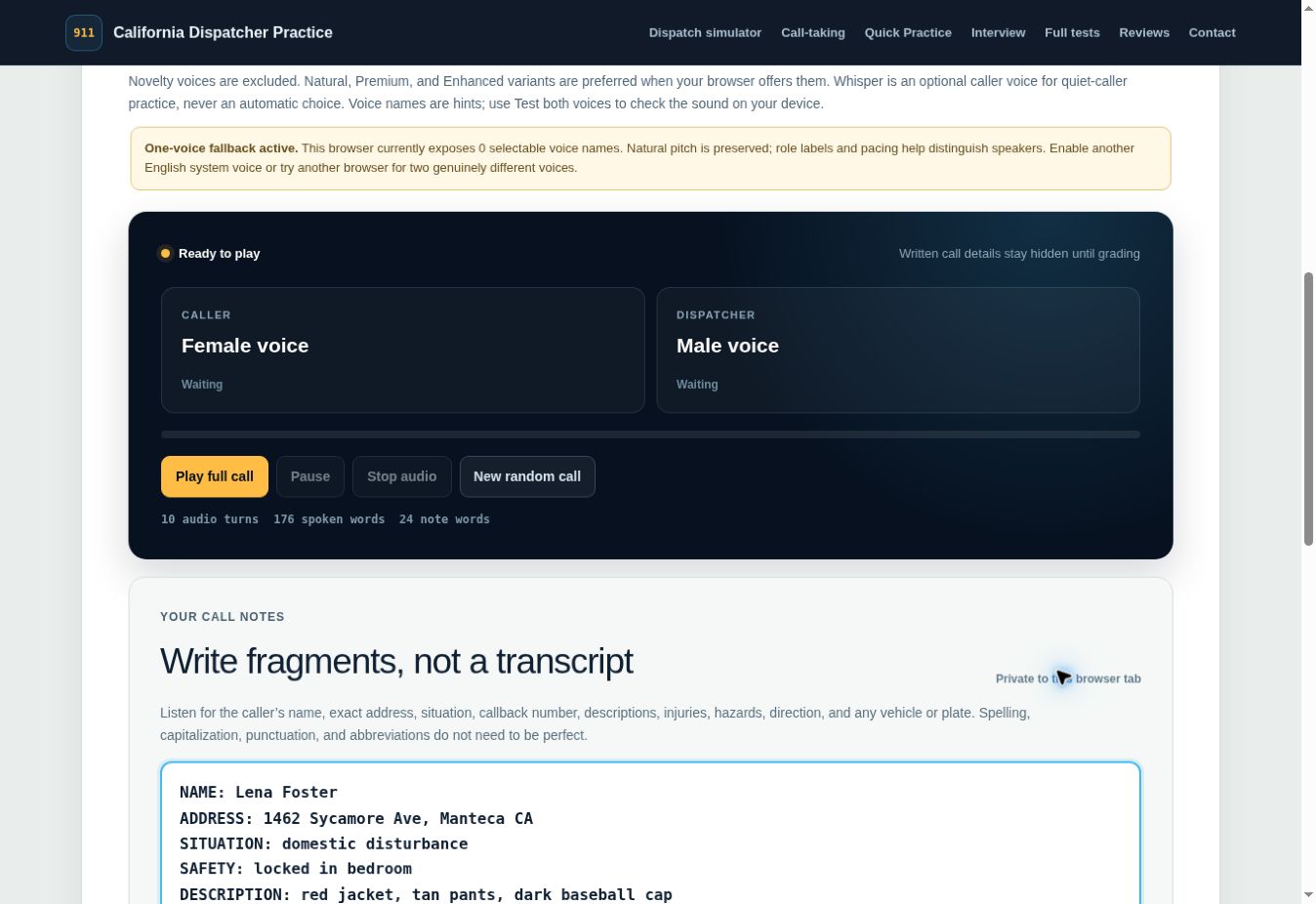
Select a length and test the voices. Listen to a complete first-person caller conversation with dispatcher questions.
Use short labels for the name, address, situation, vehicle, and hazards. Replay is available for practice; you do not have to transcribe every word.
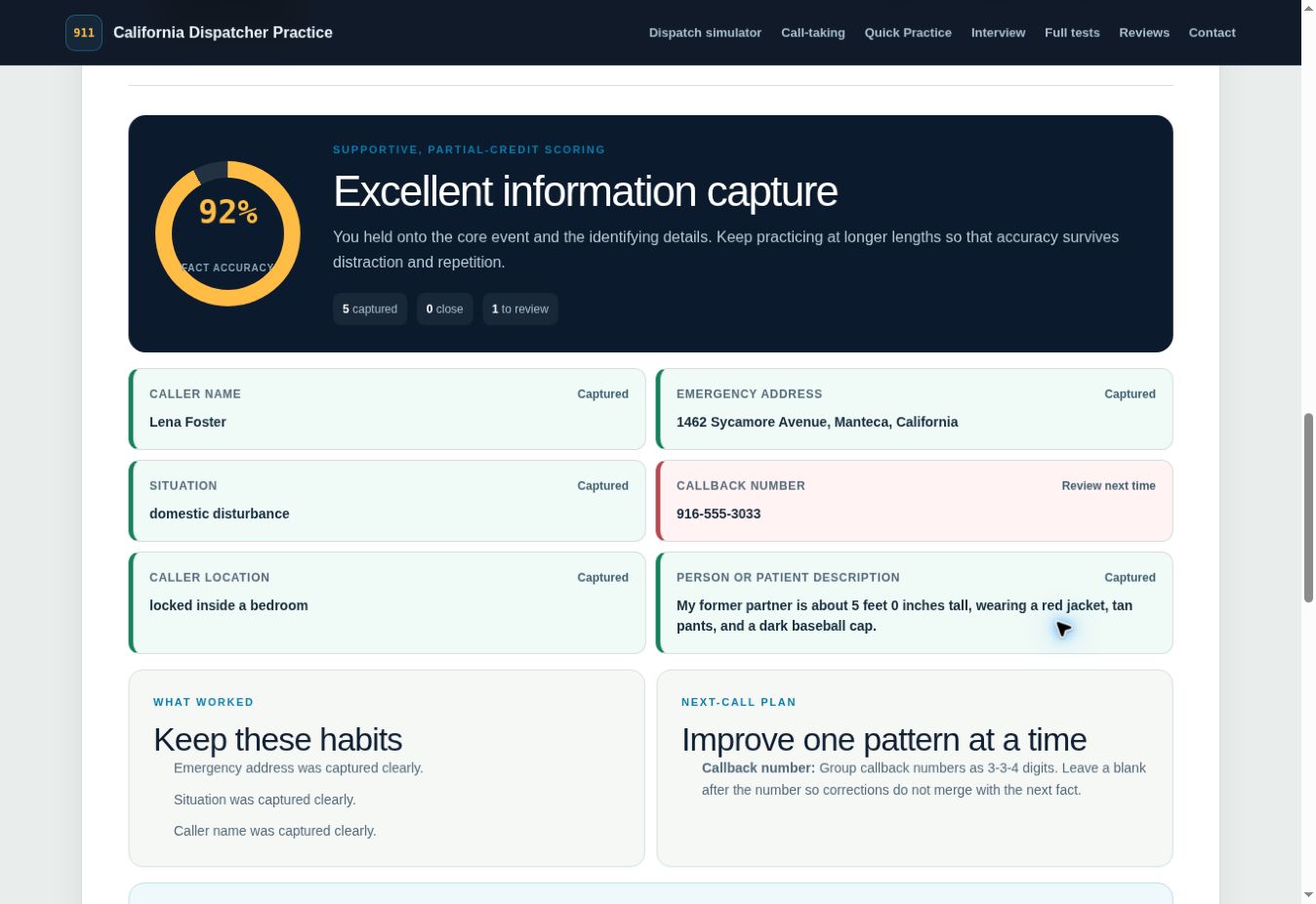
Grade your notes to see captured, close, and missed details. The tool gives partial credit for supported near matches and suggests a next-call plan.
Study with the community
Get new practice-tool announcements, short dispatcher study tips, feature updates, and fresh ways to train between longer study sessions.
Longer timed practice
The 10 full tests and extended simulation are still here in a compact library. Open the timed-test page for formats, scoring and a direct start, or expand this library for a longer session.
From practice users
Shared after completing a full test, Quick Practice round, or 911 simulator session.
Explore beyond the test
Understand hiring, compare verified state pathways and prepare for training. California POST preparation remains our specialty.
Applicant favorites
Start with the three questions California dispatcher applicants ask most.
Salary & career
Compare 2026 California 911 dispatcher salaries from official city and county sources, then learn how to prepare for testing, interviews, and the hiring process.
Read articleTest overview
Learn what to expect on the California POST dispatcher test: all 11 sections, timing, written vs. audio formats, note-taking rules, scoring basics and how to prepare.
Read articleStudy plan
A realistic four-week dispatcher test study schedule combining diagnostic testing, focused skill drills, audio practice, review, and timed simulations.
Read articleWhat to expect
California POST describes the Entry-Level Dispatcher Selection Test Battery as a group of job-related tests used by participating agencies to help select public safety dispatchers. This independent practice site turns the skill areas described in the public examinee guide into fresh, original drills. It is designed for repetition: each version changes names, addresses, unit statuses, priority rules, call details, codes, and radio traffic so that improvement depends on skill rather than memorizing one test.
The official applicant materials explain the format but do not provide an official study guide or reading list, because the battery measures general abilities developed over time. Practice cannot reproduce the official standardized score, but it can help you rehearse pacing, careful reading, note-taking, listening, and accuracy under a timer.
Why this site exists
From the founder“While I was actively considering a new career in police dispatching, I found myself entering a world I had never explored—but I loved the idea of becoming part of it. I knew my strengths, and I knew where I needed more practice. I wanted to maximize my training in those weaker areas, and that's how California Dispatcher Practice came to life. This guide helped me prepare for my California POST dispatcher written exam, and I hope it helps other applicants walk in feeling more confident, too.”
Skills covered
Each practice battery also includes extra field-unit and priority/logic drills. Section names describe general abilities; they do not claim to reproduce secure or current official exam content.
How to use it
Questions and answers
No. California Dispatcher Practice is an independent, unofficial study tool. It is not created, approved, endorsed, scored, or certified by California POST or any public-safety agency.
No. Every practice scenario and question is original. The broad skill categories and exercise styles are informed by the publicly available California POST examinee guide, not by confidential or secure test material.
Each of the ten full test versions includes a 75-minute timer and 95 scored questions. The optional extended stamina simulation has 138 questions, a 150-minute timer, and a paused break. Quick Practice is separate: it has 200 self-paced questions with no timer.
Your progress and personal attempt history for supported tools stay in local browser storage on your device. Some completed training activities contribute a limited anonymous summary to public statistics. The timed typing test keeps typed text in the current page session and saves a compact accuracy-and-duration summary for activity history and anonymous statistics. Notes, typed text, interview responses, individual answers, and selected units are not uploaded. If you request the printable workbook, the first name and email you enter are sent privately to our email provider only for the workbook and emails you authorize. They are never added to public statistics or reviews.